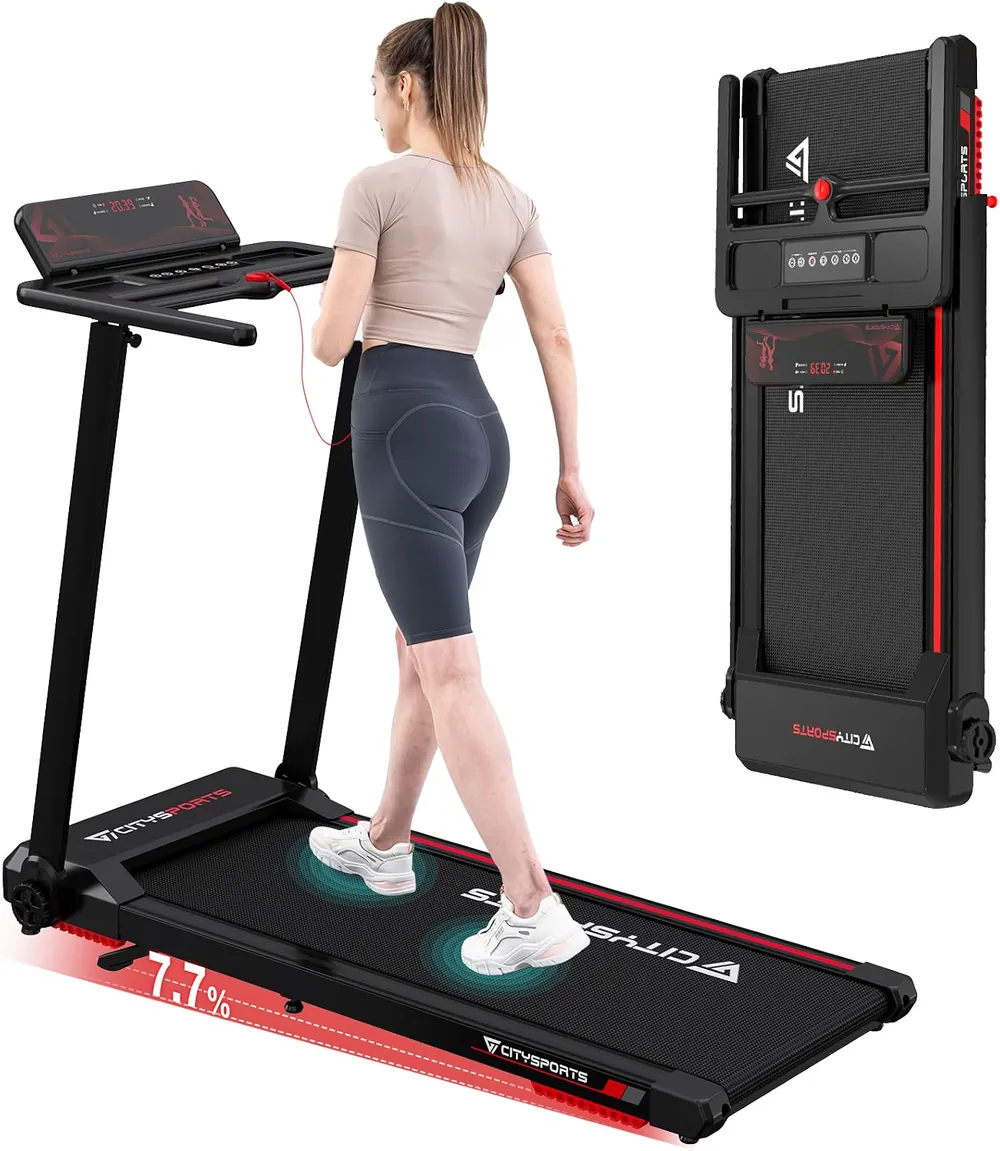
Walking pad under the desk: walking while you work, without getting it wrong
Walking slowly while working reduces sitting time and adds minutes of activity without thinking about it. Provided you set up your workstation properly, choose the right speed and know the limits pointed out by the French occupational safety institute INRS.
Contents
The treadmill desk has moved from research labs to the living rooms of home workers. The idea is simple: instead of sitting for eight hours, you walk slowly for part of the day, with your computer on a raised desk. The benefits are real, and so are the limits. This guide sorts them out, drawing on the recommendations of the French health agency Anses and the analysis of the French occupational safety institute INRS.
Why walk while working?
The problem is not only a lack of physical activity, it is also time spent sitting. The two are distinct: you can do 150 minutes of sport a week and still sit for ten hours a day. The effects of long periods of sedentary behaviour are now well documented: Anses cites an increased risk of type 2 diabetes, obesity, cardiovascular disease and certain cancers.
Walking while working tackles both problems at once: you interrupt sitting and add minutes of light to moderate activity. For many people, it is also the only realistic way to move on busy days.
What Anses recommends
In October 2025, the French Agency for Food, Environmental and Occupational Health and Safety published a new assessment of breaks in sedentary behaviour, based on an analysis of more than 75 studies. Its main messages:
- French adults spend an average of seven hours a day sitting, and more than 37 % of adults more than eight hours;
- it is recommended to break up sitting every 30 minutes;
- the break should last 3 to 5 minutes and engage the body enough, for example through brisk walking;
- whatever the walking speed, studies show improved attention, reaction time and mood.
A treadmill within reach of the desk makes this recommendation easy to follow: no need to leave the room, just start the belt for a few minutes.
What INRS says: benefits and limits
INRS, the French reference body for occupational health and safety, has analysed dynamic workstations: sit-stand desks, desk bikes and treadmill desks. Its conclusions are nuanced:
- Benefits: a literature review shows that these devices reduce time spent sitting and slightly increase energy expenditure.
- Performance: concentration, memory or problem solving are not necessarily affected. Fine motor skills, however, can be impaired, particularly on a treadmill, with negative effects observed on typing and mouse use.
- Risks: walking on a treadmill can create a risk of falling. In an open-plan office, the machine can also disturb colleagues with its noise.
- Prerequisites: a height-adjustable desk is often essential.
INRS stresses one last point: it is alternating postures that matters, not replacing sitting entirely with another posture. Walking eight hours a day is not the goal.
Setting up your workstation
A badly set-up workstation turns a good habit into backache. Points to check:
- Desk height: standing on the belt, forearms horizontal, elbows close to the body, shoulders relaxed. Allow for the treadmill’s thickness, which raises you by a few centimetres.
- The screen: top of the screen at or slightly below eye level, at about arm’s length. A laptop placed flat forces you to look down: use a stand and a separate keyboard.
- Treadmill position: centred under the desk, close enough not to stretch your arms, far enough for your knees not to touch the desk.
- The cable: wall socket nearby, cord out of the way.
- Space behind: clear, with no chair on wheels or objects on the floor.
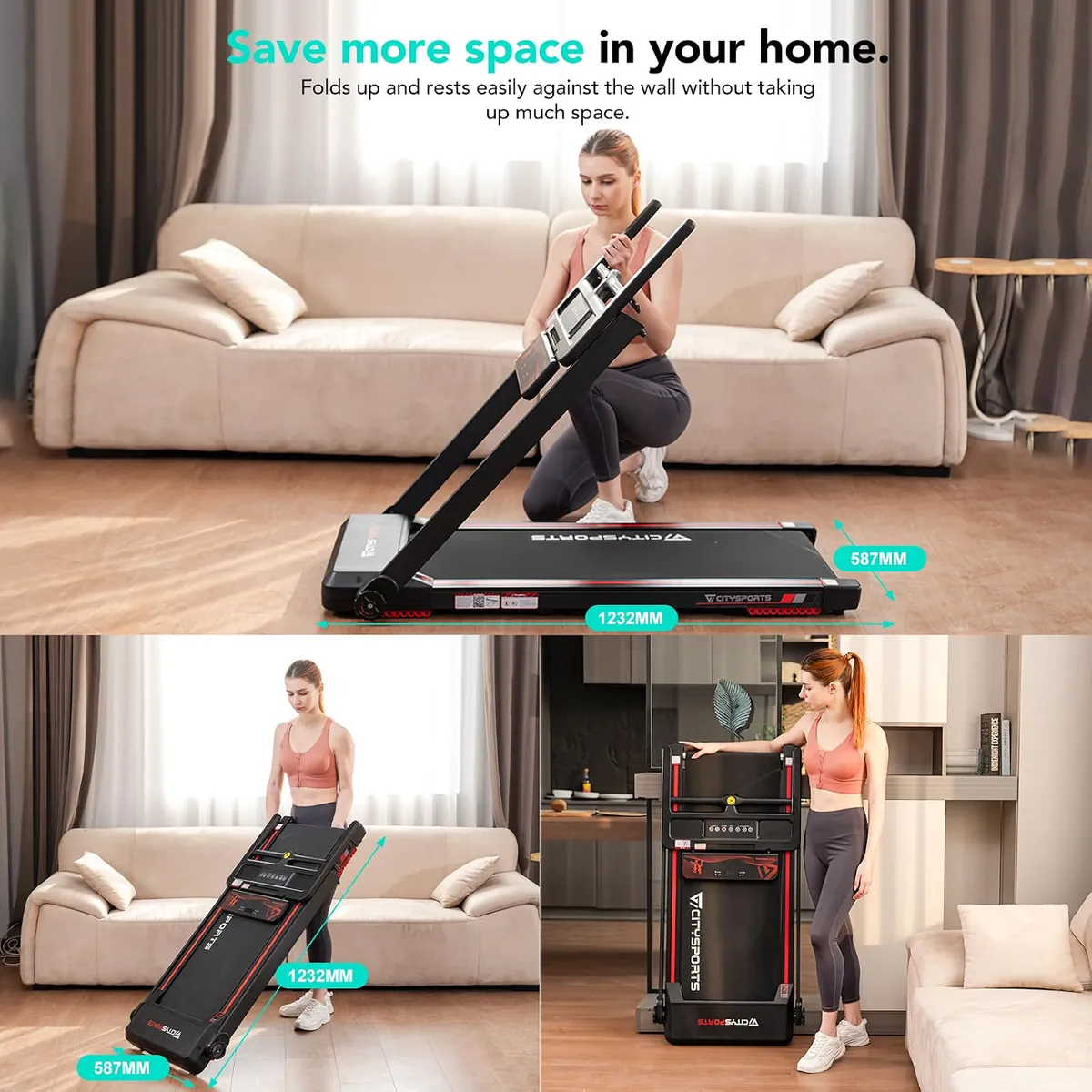
On a treadmill with a handrail like the CITYSPORTS, there are two options: raise the handrail if your desk is deep enough, or fold it down to slide the treadmill under the desk. In either case, make sure the safety key stays accessible and clipped on.
What speed under a desk?
Speed depends on what you are doing. The more precise the task, the slower you should go:
| Activity | Indicative speed |
|---|---|
| Typing, spreadsheets | 1 to 2 km/h, or stopped |
| Reading, simple emails | 2 to 3 km/h |
| Phone call, audio meeting | 2.5 to 3.5 km/h |
| Active break (Anses recommendation) | 4 to 5 km/h, hands free |
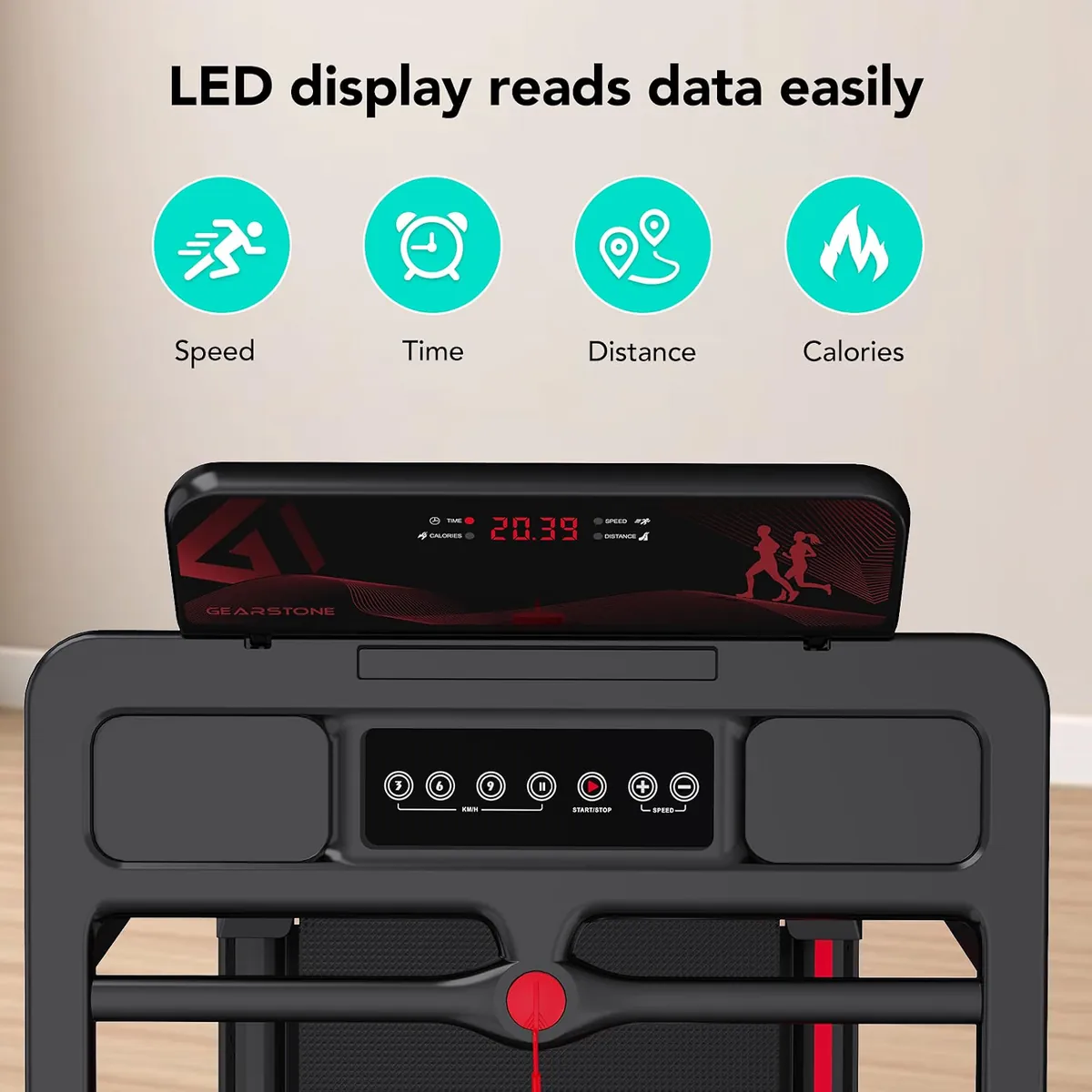
The CITYSPORTS starts at 1 km/h and offers a 3 km/h shortcut, handy for starting a break without searching. Avoid the 6 or 9 km/h shortcut at a desk: the acceleration is sudden and the speed unsuitable for a workstation.
Which tasks while walking?
Not every task lends itself to walking. Following INRS’s observations on fine motor skills:
- Suitable: calls, audio meetings, reading, proofreading, watching videos, thinking, sorting simple emails.
- Possible at very low speed: writing short texts, browsing.
- Avoid while walking: graphic design, photo editing, entering figures, complex spreadsheets, anything requiring precise mouse work.
A good habit is to plan your day in blocks: precision tasks sitting down, calls and reading while walking.
A typical home-working day
| Time | Work | Treadmill |
|---|---|---|
| 9:00 - 9:30 | Reading emails | Walking at 2.5 km/h |
| 9:30 - 11:00 | Precision work | Seated, 4-min break at 4 km/h every 30 min |
| 11:00 - 12:00 | Audio meeting | Walking at 3 km/h |
| 12:30 - 12:50 | Lunch break | Active walking at 5 km/h |
| 14:00 - 16:00 | Writing | Seated or standing, breaks every 30 min |
| 16:00 - 17:00 | Calls, proofreading | Walking at 2.5 to 3 km/h |
| 17:30 | End of the day | Active or uphill walking session, if you feel like it |
This organisation easily adds 90 to 120 minutes of walking to a day, part of it at moderate intensity.
How many calories and steps?
Slow walking burns little per minute, but a lot over a day. The Compendium of Physical Activities gives 2.8 METs for treadmill walking between 1.9 and 3.1 km/h and 3.0 METs between 3.2 and 3.9 km/h. It also lists active workstations: 2.0 METs for a dynamic workstation at light effort.
| Scenario, 75 kg | Duration | Estimated gross expenditure | Distance |
|---|---|---|---|
| Walking at 2.5 km/h (2.8 MET) | 60 min | about 210 kcal | 2.5 km |
| Walking at 3.5 km/h (3.0 MET) | 60 min | about 225 kcal | 3.5 km |
| 10 breaks of 4 min at 4.5 km/h (3.5 MET) | 40 min | about 175 kcal | 3 km |
Remember that these values are gross: sitting already burns about 1.3 to 1.5 METs. The net gain is therefore smaller. The main benefit lies elsewhere: breaking up sitting time and adding steps. A meta-analysis published in 2022 in The Lancet Public Health links a higher step count to lower mortality, up to about 8,000 to 10,000 steps a day before 60 and 6,000 to 8,000 after. For your own figures, use our calculator.
Safety at the desk
Walking while looking at a screen takes your attention away from your feet. A few rules:
- Safety key clipped on, even at 2 km/h.
- Shoes that are closed and clean, no slippers or socks alone.
- Nothing on the floor behind the belt: bag, cable, chair.
- Slow down before turning, leaning over or picking something up.
- Stop the belt to drink, eat or answer someone in the room.
- Children and pets out of the room, or treadmill stopped.
Our guide treadmill safety covers every precaution.
Noise, video calls and the people around you
At 2 or 3 km/h, a treadmill makes a slight hum and a regular sound of footsteps. On a video call, the microphone can pick up both: do a test, and mute your microphone when you are not speaking. A headset with a directional microphone helps a lot.
In a flat, slow walking generates little vibration, especially with an anti-vibration mat. If you share the room, let the others know: a continuous noise for several hours can be tiring even if it is quiet. Our article a quiet treadmill in a flat gives the solutions.
Which treadmill for this use?
For walking only under a desk, a flat walking pad without uprights is the simplest machine. For walking under the desk during the week and doing more vigorous sessions in the evening or at the weekend, a hybrid treadmill with a folding handrail is more versatile. That is the case with the CITYSPORTS: starts at 1 km/h, 3 km/h shortcut, 40 cm wide belt, folding handrail, and up to 12 km/h for running sessions.
Points to check for desk use:
- a low, steady minimum speed;
- a deck height compatible with your adjustable desk;
- controls accessible from your working position;
- smooth operation over long periods at low speed.
Our article walking pad or treadmill compares the two families.
Mistakes to avoid
- Walking all day: the aim is to alternate, not to replace one fixed posture with another.
- Walking too fast while working: you tire and make typing errors.
- Keeping a laptop flat: head down, neck strained.
- Forgetting the safety key.
- Skipping seated breaks: walking takes energy, especially in the first weeks.
- Thinking desk walking replaces exercise: it complements the WHO’s 150 minutes of moderate activity, it does not always stand in for it.
The first few days: getting used to it
Walking while working takes some getting used to. In the first few days, you sometimes feel clumsy, look at your feet and tire faster than expected. That is normal. A few tips to get through this stage:
- Start with blocks of 10 to 15 minutes, during simple tasks such as reading.
- Stay at 2 km/h for the first week, then go up gradually.
- Alternate sitting, standing and walking: alternation is what counts, as INRS points out.
- Listen to your legs and back: slight fatigue is normal, pain is not.
- Log your walking minutes: seeing the day’s total rise is motivating.
After two to three weeks, slow walking usually becomes natural, and you almost forget you are walking during a call.
Ergonomics: the details that change everything
A few small adjustments make walking at the desk much more comfortable over a whole day:
- A wrist rest in front of the keyboard steadies your hands while you walk.
- A slightly larger font on screen makes reading easier when your head moves a little.
- A headset rather than the laptop microphone for calls.
- Good lighting without reflections on the screen.
- A stable surface for your drink, away from the belt.
Adjust one element at a time and keep what works. After a few days, you will find the setting that suits you.
Frequently asked questions
Can you really work while walking?
For reading, phoning or thinking, yes. For precise typing and mouse work, INRS notes a drop in performance: slow down or stop.
How long should you walk each day at the desk?
Start with the Anses recommendation: 3 to 5 minutes every 30 minutes. Then add blocks of slow walking during calls and reading.
Do you need a sit-stand desk?
It is almost essential: it lets you adjust the height to the treadmill and alternate postures.
What speed for typing?
Between 1 and 2 km/h, or stopped. Above that, precision drops.
Is the CITYSPORTS treadmill suitable under a desk?
Yes: it starts at 1 km/h, offers a 3 km/h shortcut and its handrail folds down. Check that its height suits your desk.
Is it compatible with video calls?
Yes at slow speed, with a directional microphone. Do a test to check that the belt noise does not come through.
Does desk walking count towards the WHO’s 150 minutes?
Slow walking under the desk is mainly light activity. Brisk walking breaks and sessions at 5 km/h and above count more as moderate activity.
Do you need shoes for walking under the desk?
Yes, closed, clean shoes. Barefoot or in socks, you slip more easily and the belt gets dirty.
Does the treadmill tire your legs?
A little in the first few days. Start with short blocks at 2 km/h and alternate with sitting.
Can you use a laptop?
Yes, on a stand that raises the screen to eye level, with a separate keyboard and mouse.
How many steps can you take in a home-working day?
It depends on speed and duration. One hour at 3.5 km/h represents about 3.5 km, or several thousand steps depending on stride length.
Can walking at the desk cause back pain?
It can if the screen is too low or the desk at the wrong height. Raise the screen to eye level, keep your forearms horizontal and alternate with sitting.
Can I walk under the desk every working day?
Yes, at slow speed and in blocks, alternating with sitting and standing still. Listen to your legs and back in the first weeks.
Does a walking pad replace going outside for a walk?
It complements it. Walking outdoors also brings daylight, fresh air and varied ground, which a treadmill cannot provide.
Your next kilometre starts here.
12 km/h · 1400 W · 400 x 1020 mm belt · Bluetooth · No assembly. The price changes often on Amazon: check it, along with the seller and the stated maximum load, before ordering.
Check the price on AmazonAffiliate link · new tab