Treadmill maintenance: the complete guide
A well-maintained treadmill stays quiet, safe and reliable for years. Here are the tasks to do after every session, every week, every month and every quarter, with belt adjustments explained step by step.
Contents
The manual comes first: each treadmill has its own instructions, particularly for the lubricant, how often to lubricate and the adjustments. If this guide and your machine’s manual disagree, follow the manual. Some work may also affect the warranty.
Why maintain your treadmill
A treadmill is a simple machine: a motor, two rollers, a belt sliding over a deck. But this simplicity hides a constraint: the belt constantly rubs against the deck, under the user’s weight, at every session. If that friction increases, everything degrades in a chain reaction: the motor strains, heats up and wears; the belt deteriorates; the treadmill becomes noisy; the electronics may cut out to protect themselves.
Regular maintenance prevents this spiral. It takes little time: a few minutes after each session, about ten minutes a month, half an hour now and then. It is an excellent investment for a machine you want to keep for several years, and for the safety of those who use it.
Understanding what wears
| Part | Role | What wears it |
|---|---|---|
| Running belt | The surface you walk on | Friction on the deck, dust, grit from soles |
| Deck (or board) | Rigid support under the belt | Belt friction, lack of lubricant |
| Front and rear rollers | Drive and guide the belt | Excessive tension, dust in the bearings |
| Motor | Drives the front roller | Overload, heat, dust, belt too tight or dry |
| Circuit board | Controls the motor and console | Heat, damp, power surges |
| Screws and joints | Hold the handrail and frame together | Vibration, repeated folding |
You can see that two tasks protect almost everything: limiting friction (lubrication, cleanliness) and adjusting the belt correctly (tension, alignment).
The maintenance schedule
| Frequency | Tasks | Time |
|---|---|---|
| After every session | Wipe sweat off the console, handrail and edges; remove the key; unplug | 2 min |
| Every week | Vacuum around and under the treadmill; wipe the belt with a dry cloth | 5 min |
| Every month | Check alignment and tension; check the screws and the handrail lock; inspect the cord | 10 min |
| As the manual says (often every 3 months with regular use) | Lubricate the deck with the recommended product | 15 to 20 min |
| Once or twice a year | Thorough cleaning under the belt and around the motor cover, if the manual allows | 30 min |
How often to lubricate depends on use. A Canadian consumer guide suggests lubricating about every three months; some manufacturers work in kilometres, for example every 200 kilometres for some Decathlon treadmills, or display a maintenance message. Check your manual: some treadmills have a pre-waxed belt that must not be lubricated.
Before any work
- Unplug the treadmill from the wall socket, not just the switch.
- Remove the safety key.
- Wait for the motor to cool after a session.
- Keep children and pets away.
- Never put your fingers near the rollers when the belt can move. For adjustments that require the belt to run (alignment), stay to the side, at slow speed, and only touch the screws.
One fitness equipment maker reminds readers in its maintenance sheet to make sure the treadmill is switched off and unplugged before any handling: that is the first rule.
Cleaning
After every session
Sweat is corrosive to metal and plastics, and it seeps into the console keys. A dry or slightly damp microfibre cloth is enough. Wipe the console, the handrail and the side edges of the deck. Never hose the treadmill down and do not spray product directly onto the console.
Every week
Dust is the motor’s enemy: it is drawn in by the ventilation and builds up on components. Vacuum around and under the treadmill, especially near the front cover. Wipe the belt with a dry cloth to remove dust and grit from soles.
Products to avoid
- solvents, strong alcohol and abrasive cleaners, which attack plastics and the belt;
- greasy or silicone products on the top of the belt, which make it slippery;
- large amounts of water, which can reach the electronics.
The shoe habit
Keep a pair of clean shoes for the treadmill. Soles that come in from outside bring grit and dust, which end up between belt and deck. It is one of the most effective ways to extend the life of the belt.
Lubricating the deck
Lubrication reduces friction between belt and deck. A dry treadmill rubs, heats up, makes the motor strain and may slow down when you step on. A major retailer’s troubleshooting guides list lack of lubrication among the causes of noise.
Which lubricant?
The one your manual recommends. Most often, it is a 100 % silicone lubricant designed for treadmills. Several manufacturers specify this, and some advise a Teflon-free product. Avoid general-purpose penetrating sprays, oils and greases: they are not designed for this use and can damage the belt or attract dust.
When to lubricate?
- at the interval given in the manual, in time or kilometres;
- when a maintenance message appears, on treadmills that have one;
- without waiting for rubbing noises, which signal that the lack is already there.
Careful: checking does not mean lubricating every time. Too much lubricant makes the belt slip and attracts dust.
How to lubricate, step by step
- Unplug the treadmill and remove the key.
- Locate the two adjustment screws at the rear of the deck, either side of the roller. If the belt is very tight, loosen them one or two turns, noting the exact number of turns so you can return to the same setting.
- Lift one side of the belt to create a gap between belt and deck.
- Apply the lubricant to the deck, in the centre, where your feet land, in the quantity given in the manual.
- Repeat on the other side.
- Retighten the screws by the same number of turns.
- Plug back in and run the belt at slow speed for a few minutes, with no one on it, to spread the product.
- Wipe off any excess on the edges of the belt.
Some treadmills let you slide the bottle’s nozzle between belt and deck without loosening the belt. Follow your manual’s method.
Aligning the belt
A misaligned belt rubs against the frame, wears on one edge, makes noise and can end up damaged. It tends to drift over time, depending on how you walk or if the treadmill is not perfectly level.
Spotting misalignment
Standing behind the treadmill, belt running slowly, look at the gap between belt and frame on each side. If it is not equal, or if the belt “pulls” to one side, it needs realigning.
Realigning, step by step
- Check that the treadmill is level on its supports, incline included.
- Start the belt at slow speed, around 4 to 5 km/h, with no one on it.
- Stand at the back, to the side, and see which way the belt drifts.
- Turn the rear screw a quarter turn clockwise on the side the belt drifts towards. Troubleshooting guides from several brands describe this method.
- Wait a minute and watch: the belt gradually moves back.
- Repeat in quarter turns if necessary, never with large movements.
If the belt refuses to centre despite several quarter turns, check its tension and the condition of the rollers, then contact the seller.
Adjustments on compact treadmills
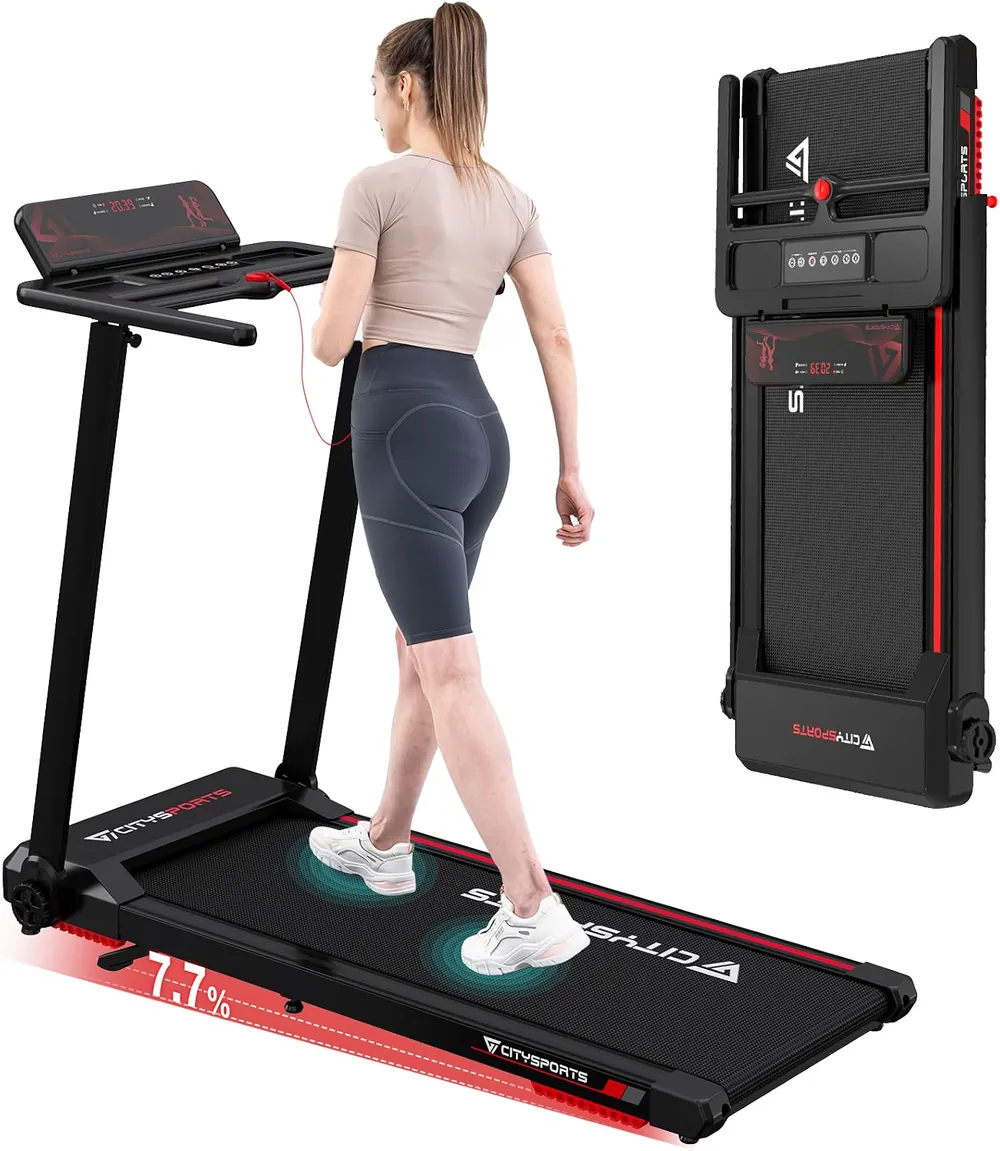
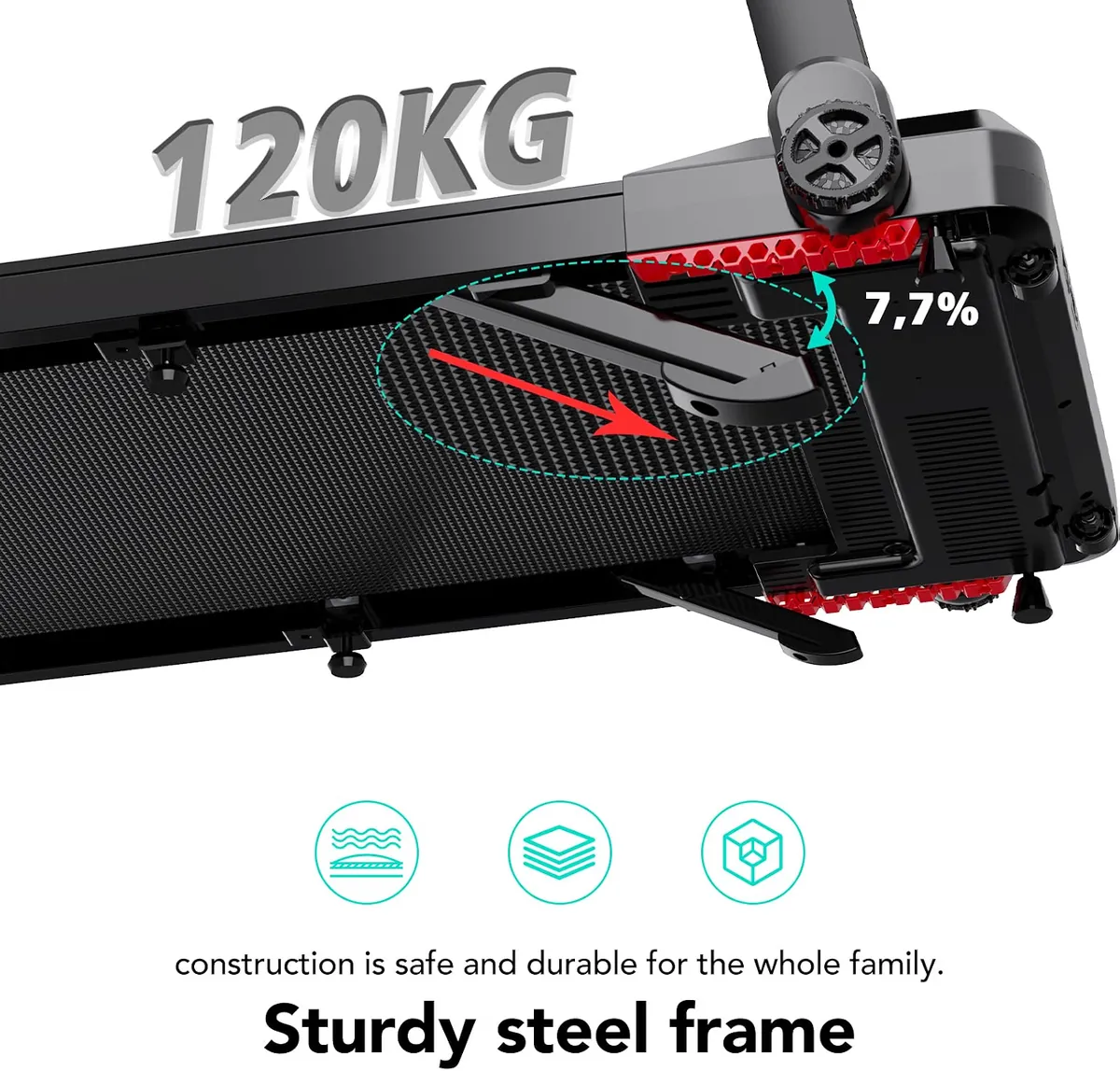
On folding treadmills like the CITYSPORTS, the two adjustment screws are generally at the rear of the deck, either side of the roller, accessible with an Allen key. The manual specifies where they are and which way to turn them. As the incline on this model is set with rear feet, check that both feet are in the same position: a slightly skewed treadmill encourages misalignment.
Belt tension
Tension is a balance. A belt that is too loose slips underfoot, jerks and can slow down when you put your foot down. A belt that is too tight makes the motor and rollers strain. A major retailer sums it up in its advice: a belt that is too tight damages the machine’s motor and electronics.
Checking tension
A benchmark often given in troubleshooting guides: with the treadmill unplugged, lift the belt in the middle of the deck; you should be able to raise it by about 3 cm, according to one of them. Your manual may give a different value: it takes priority.
Adjusting tension
- Unplug the treadmill.
- Turn both rear screws by exactly the same number of quarter turns: clockwise to tighten, anticlockwise to loosen.
- Check the tension again in the middle of the deck.
- Test at slow speed, then while walking: the belt should no longer slip.
- Check the alignment: an uneven adjustment of the two screws shifts it.
Screws and handrail
Vibration gradually loosens screws, especially on a folding treadmill that you fold often. A loose screw causes knocking, play in the handrail and can weaken the whole structure. Every month:
- check the screws on the handrail and console;
- check that the uprights lock in the raised position: they must not move when you lean on them;
- inspect the folding joints: no cracks, no unusual play;
- check the condition of the wheels and incline feet.
Do not overtighten: firm is enough. A stripped thread costs more than a check.
Motor and electronics
The motor sits under the front cover. On a home treadmill, you do not touch it, except for light cleaning if the manual allows. What you can do:
- Limit dust: vacuum regularly around it, use a floor mat, avoid thick carpet.
- Avoid overheating: respect the maximum load, do not string together long sessions at top speed, let it cool.
- Protect the power supply: plug directly into a wall socket, avoid extension leads and power strips, as most manuals recommend.
- Unplug after use, especially during storms.
On the CITYSPORTS, the motor is rated at 1400 W peak power. As with any motor whose continuous power is not published, go easy on it during prolonged fast running sessions.
Console and safety key
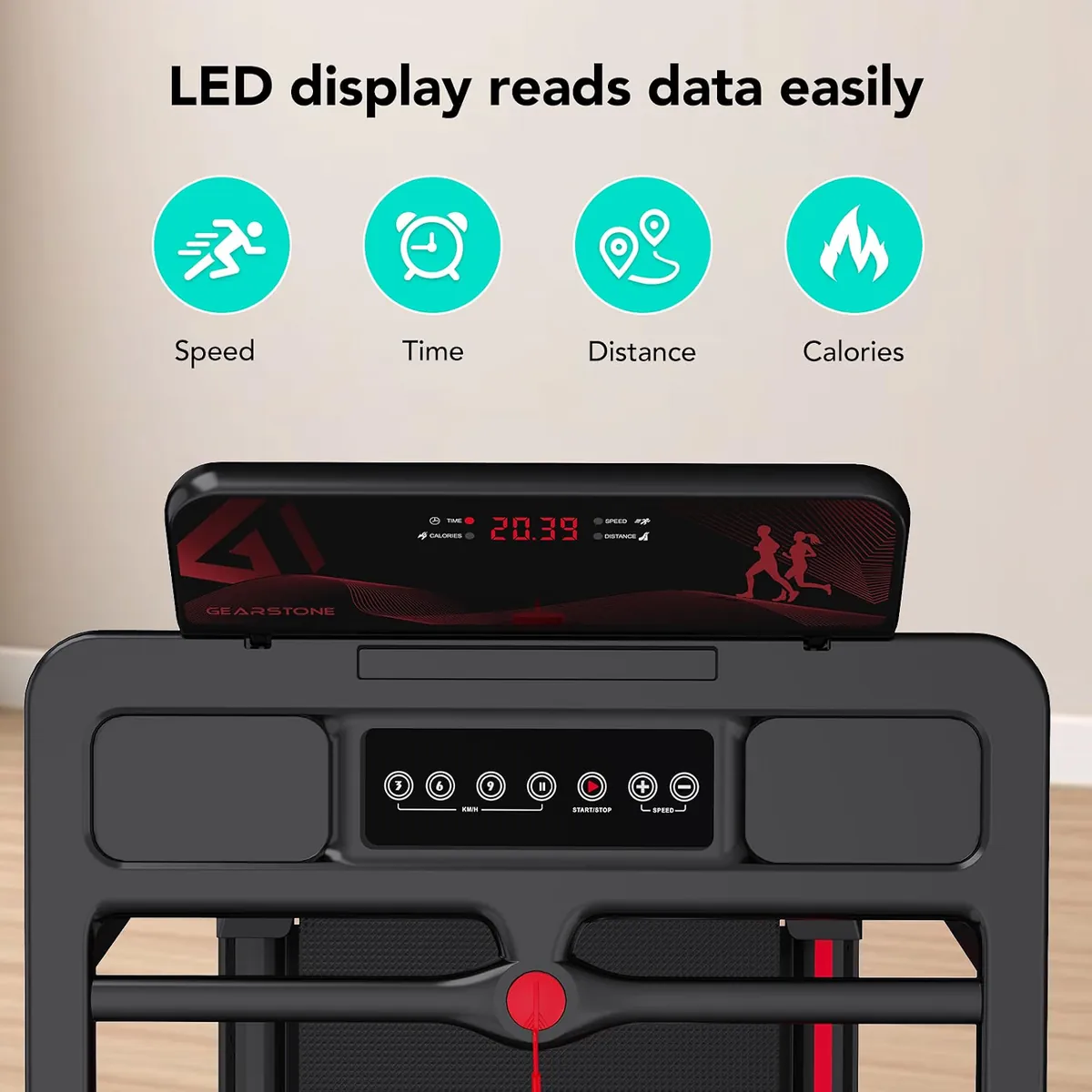
The console does not like sweat or water. Wipe it after each session with a dry cloth. Do not place an open bottle above it. If a key becomes stiff or stops responding, do not force it: contact the seller.
The safety key is essential: without it, the treadmill will not start, and it is what stops the belt if you fall. Always keep it in the same place, out of children’s reach. If you lose it, get a compatible replacement key from the seller rather than trying to bypass the system.
Diagnosing a noise
A new noise is almost always a useful signal. Here is how to interpret it:
| Noise | When | Likely cause | Action |
|---|---|---|---|
| Continuous rubbing, hissing | Every belt revolution | Dry deck | Lubricate as the manual says |
| Rubbing on one side | Constant | Belt misaligned | Realign in quarter turns |
| Rhythmic knocking | Every step | Loose screw, upright not properly locked | Tighten, check the lock |
| Squeaking | Every step | Shoes rubbing on the belt or frame | Try other shoes |
| Dull thud on the floor | When running | Impacts transmitted to the floor | Anti-vibration mat, lighter stride |
| Rumbling, metallic clicking | Constant, rising with speed | Worn roller or bearing | Stop and contact the seller |
| Burning smell | After long use | Motor straining, belt too tight or dry | Stop, let cool, check tension and lubrication |
A major retailer’s troubleshooting guides start by checking your shoes before looking for a fault. Our article quiet treadmill also covers impact noise.
Common faults
| Symptom | Checks |
|---|---|
| The treadmill will not switch on | Wall socket, switch, cord, household circuit breaker |
| The console lights up but the belt will not start | Safety key properly in place |
| The belt slows when you step on | Tension too low or too high, lubrication |
| The belt stops on its own | Safety key pulled, overheating, overload, power supply |
| Error code displayed | Model’s manual, then the seller |
| The app cannot find the treadmill | Bluetooth on, treadmill on, app permissions, another device already connected |
Error codes vary from brand to brand: only the manual or the seller can interpret them. A few buyers of a treadmill similar to the CITYSPORTS report an error code appearing after a few months: in that case, do not take anything apart, note the code and contact the seller, as your statutory rights against the seller apply.
Storing your treadmill without damaging it
- Unplug before folding, and wait a few minutes after a long session.
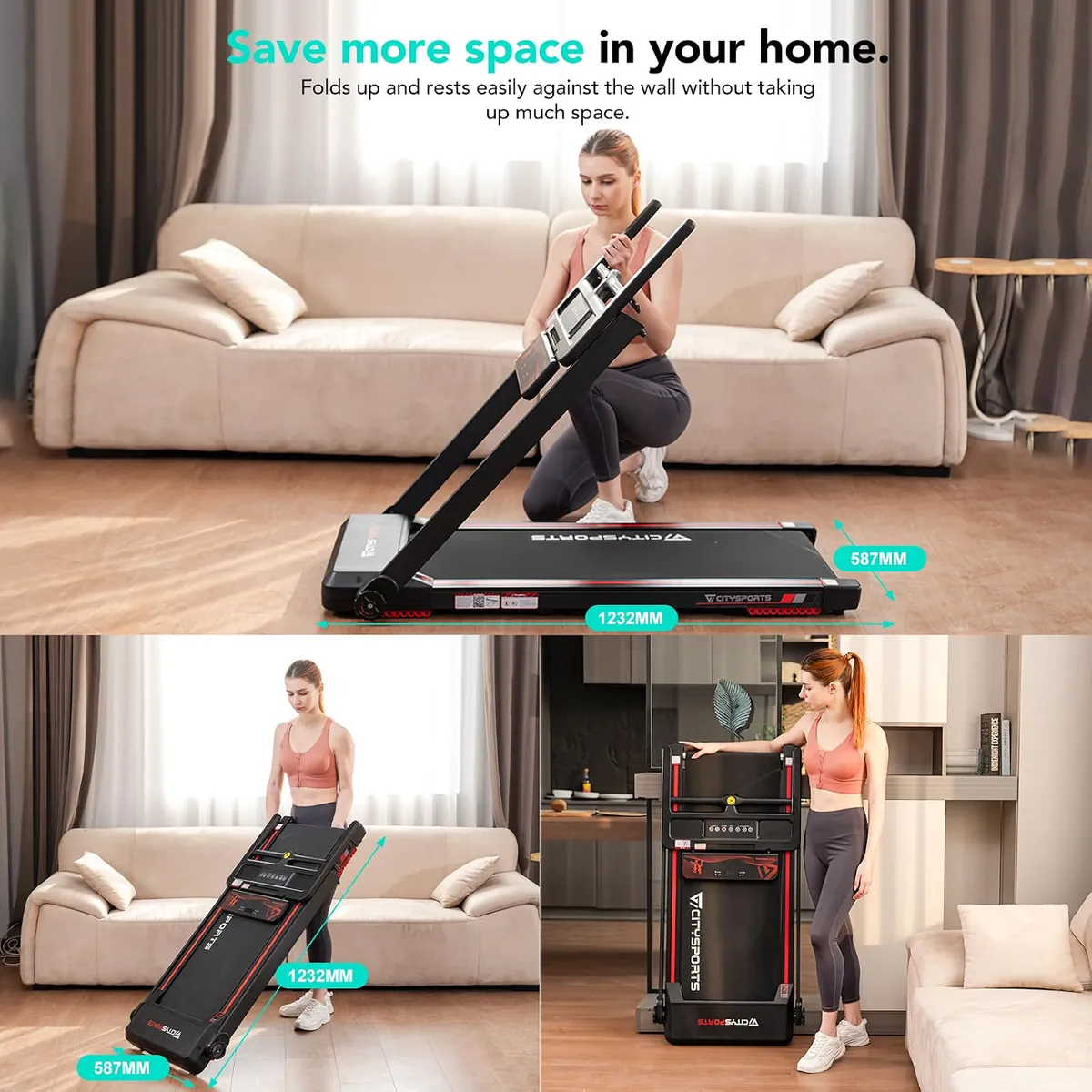
- Fold in the incline feet before folding or moving the treadmill.
- Fold without forcing, following the manual: a forced joint develops play.
- Roll the treadmill on its wheels rather than dragging it.
- Stored upright, wedge it so it cannot tip over, especially with children around.
- Stored flat, do not put anything heavy on it.
- Avoid damp or unheated rooms for long-term storage.
The treadmill’s surroundings
Where you use it matters as much as maintenance:
- A level floor: a skewed treadmill encourages belt misalignment.
- A floor mat: it limits the dust drawn in, protects the floor covering and reduces vibration.
- A dry, temperate room: damp damages electronics, cold stiffens the belt.
- Fresh air: a ventilated room prevents sweat and heat from building up.
- No prolonged direct sunlight on the console and belt.
Lifespan and warranties
The lifespan of a home treadmill depends on its use, the user’s weight, usual speed and maintenance. A compact treadmill used for walking, maintained and used well below its maximum load, ages far better than a compact treadmill used every day for fast running by someone close to its weight limit.
On warranties, in the UK, the Consumer Rights Act protects you against faulty goods when you buy from a business. The CITYSPORTS brand website mentions a one-year commercial warranty. Keep your invoice and take photos or a video if there is a fault: they make it easier to get it dealt with.
The maintenance kit
- the lubricant recommended in the manual, often 100 % silicone;
- the Allen key supplied for the adjustment screws;
- a Phillips screwdriver for the covers, if the manual allows removing them;
- two microfibre cloths, one dry and one slightly damp;
- a vacuum cleaner with a narrow nozzle;
- a floor mat the right size for the machine;
- a notebook or a note to keep track of lubrication dates and kilometres.
After a move or a long break
A treadmill that has been transported or not used for several months deserves a careful restart:
- Inspect the frame, handrail, cord and belt: dents, cracks, pinched cable.
- Vacuum the dust around the motor cover and under the belt.
- Check the screws and the upright lock.
- Check tension and alignment, often changed by transport.
- Check lubrication according to the manual.
- Run the belt empty for a few minutes at slow speed, then walk slowly before resuming your usual sessions.
For a house move, fold the treadmill, remove the key, coil the cord and wedge the machine flat in the vehicle. Avoid storing it in a damp garage or cold cellar.
Adapting maintenance to the seasons
In summer, heat and sweat increase. Air the room, use a fan, wipe the console more carefully and check that the motor does not overheat during long sessions. Avoid leaving the treadmill in full sun behind a window.
In winter, a cold room stiffens the belt and the lubricant. If the treadmill is stored in an unheated room, let it come back to room temperature before a session, and start with a few minutes at slow speed. Also watch out for condensation, which can form on a cold machine brought into a warm room.
Changes of season are also a good time for a full check: tension, alignment, lubrication, screws.
Keeping a maintenance log
A log, paper or digital, means you forget nothing and makes any warranty claim easier. Note at least:
| Date | Task | Notes |
|---|---|---|
| Purchase date | Setting up | Seller, exact reference, serial number |
| Each lubrication | Product and quantity | Total distance shown if available |
| Each adjustment | Alignment or tension | Number of quarter turns, side |
| Each problem | Noise, error code, slowing | Photo or video, when it occurs |
This record takes a minute per task and saves you a lot of time the day you need to contact the seller.
When to contact the seller
Some situations go beyond routine maintenance. Contact the seller without taking the machine apart if:
- an error code persists after unplugging and plugging the treadmill back in;
- the belt refuses to centre despite repeated adjustments;
- you hear a rumbling or metallic clicking that rises with speed;
- the motor gives off a burning smell despite correct tension and lubrication;
- the console or keys no longer respond;
- the frame or a joint shows a crack.
Your statutory rights against the seller apply after the purchase. Describe the problem precisely, attach photos or video, and give the exact reference of your treadmill.
Maintenance mistakes to avoid
- Lubricating without checking the need, or with a product that is not recommended: too much lubricant makes the belt slip and attracts dust.
- Over-tightening the belt to stop it slipping: the motor and rollers suffer.
- Turning only one screw to adjust tension: the belt goes off-centre.
- Making large turns instead of quarter turns.
- Cleaning with lots of water or a solvent.
- Working on the treadmill while plugged in, except for alignment at slow speed, standing to the side.
- Removing the cover when the manual does not provide for it, at the risk of voiding the warranty.
- Waiting for a noise to go away on its own: it almost always signals an adjustment to make.
Successful maintenance is moderate and regular: small tasks often, rather than a big job now and then.
The CITYSPORTS treadmill
For the CITYSPORTS treadmill in our review, the Amazon listing does not detail the maintenance programme: refer to the manual supplied for the lubricant, the frequency and the location of the adjustment screws. A few points specific to this model deserve particular attention: the folding handrail, whose lock and joints should be checked; the rear incline feet, which must be in the same position to keep the belt centred; and the tablet holder, whose fixing is checked along with the screws. As the treadmill is often stored upright or under furniture, also vacuum the dust that builds up where it is stored.
Sweat, humidity and the console
Sweat is one of the most underestimated causes of wear on a home treadmill. It drips onto the deck edges, runs down the uprights and gets into the console keys. Over months, it can corrode screws and make buttons stiff. The fix costs nothing: a towel around your neck during the session, and a dry cloth over the handrail, console and side rails afterwards.
Humidity in the room works in the same way, more slowly. A treadmill used in a cellar, a garage or next to a shower ages faster than one in a living room. If you have no choice, air the room after each session and never cover the treadmill with an airtight plastic sheet, which traps condensation. A breathable fabric cover is better.
Spare parts worth knowing about
On a compact treadmill, the parts most likely to need replacing over the years are the safety key, the belt and, more rarely, the drive belt under the cover or the circuit board. Before buying, it is worth checking whether the seller can supply a replacement key and the recommended lubricant. After purchase, keep the exact model reference and serial number in your maintenance log: they are the first things a seller asks for when you need a part.
Frequently asked questions
How often should you lubricate a treadmill?
As the manual says. Guides suggest about every three months for regular use; some manufacturers work in kilometres. Some treadmills with a pre-waxed belt are not lubricated.
Can you use WD-40?
A standard general-purpose penetrating spray is not suitable. Use the lubricant recommended in the manual, often a 100 % silicone treadmill lubricant.
How do you know if the belt is too tight?
If the motor strains, heats up or slows, and you can hardly lift the belt in the middle of the deck, it is probably too tight. Follow the value in the manual.
The belt always drifts to the same side, why?
The treadmill may not be level, or you walk more on one side. Check the floor and the incline feet, then realign in quarter turns.
Should you remove the motor cover to clean it?
Only if the manual allows it, with the treadmill unplugged. Most often, vacuuming regularly around the cover is enough.
How long does a treadmill last?
It depends on use, weight, speed and maintenance. A compact treadmill that is maintained and used mainly for walking lasts far longer than one pushed to its limits.
What should you do if an error code appears?
Unplug, wait, plug back in. If the code persists, note it, check the manual and contact the seller without taking the treadmill apart.
Can you leave the treadmill plugged in all the time?
It is better to unplug it after use, for children’s safety and to protect the electronics, especially during storms.
Does the treadmill need to be level?
Yes. A skewed treadmill encourages belt misalignment. Check the floor and the position of the incline feet.
Should you clean under the belt?
Only during thorough cleaning and if the manual allows. Most often, wiping the top of the belt and vacuuming around it is enough.
Does lubricant go on top of the belt?
No, never. It is applied between belt and deck, using the manual’s method. On top, it would make the belt slippery and dangerous.
Can I cover my treadmill when I am not using it?
Yes, with a breathable fabric cover that keeps dust off. Avoid airtight plastic, which traps moisture.
Can I replace the running belt myself?
On some models, yes, following the manual; on others, it is a job for the seller or a technician. Check the manual before ordering a part.
Your next kilometre starts here.
12 km/h · 1400 W · 400 x 1020 mm belt · Bluetooth · No assembly. The price changes often on Amazon: check it, along with the seller and the stated maximum load, before ordering.
Check the price on AmazonAffiliate link · new tab